ipfs-website
my first forey into ipfs web deveoplment
ipfs-website
my first forey into ipfs web deveoplment
install
prerequisite
- ipfs installed and can run ‘>ipfs daemon’
npm install
node ./app.js
installed packages
>npm install ipfs-http-client ejs express express-fileupload body-parser
build docker
docker build -t wisehackermonkey/ipfs-website:latest .
docker run -it --rm -p 3000:3000 wisehackermonkey/ipfs-website:latest
Publish
docker login
docker tag wisehackermonkey/ipfs-website wisehackermonkey/ipfs-website
docker push wisehackermonkey/ipfs-website:latest
run using docker (compose file)

> cd ./path/to/repo
> docker-compose up

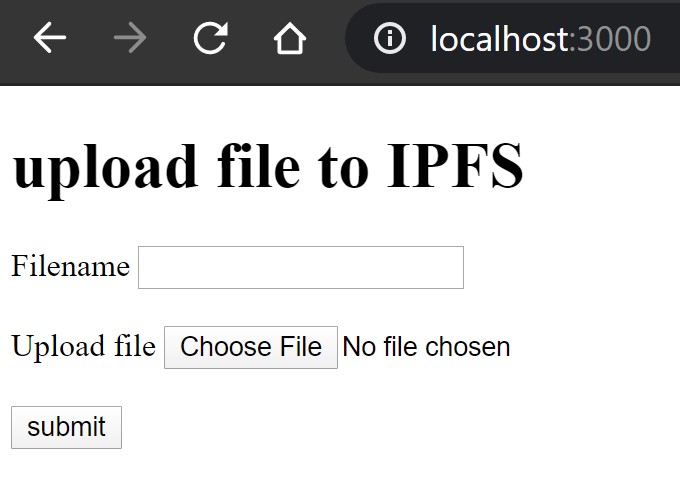
open browser to localhost:3000d
Protip:
if you dont have docker installed you can play with the app using
play with docker
how to run ipfs in a container on windows powershell
$env:ipfs_staging = "${PWD}\staging"
$env:ipfs_data = "${PWD}\data"
docker run -d --name ipfs_host -v $env:ipfs_staging:/export -v $env:ipfs_data:/data/ipfs -p 4001:4001 -p 127.0.0.1:8080:8080 -p 127.0.0.1:5001:5001 ipfs/go-ipfs:latest

docker run -it --rm --name ipfs_host -v $env:ipfs_staging:/export -v $env:ipfs_data:/data/ipfs -p 4001:4001 -p 127.0.0.1:8080:8080 -p 127.0.0.1:5001:5001 ipfs/go-ipfs:latest
todo
- fix docker upload issue

resources
- Building an IPFS app with Node.js - YouTube (added 20200515)